My 2026 Tool Stack: Daily Essentials as a Product Design Manager
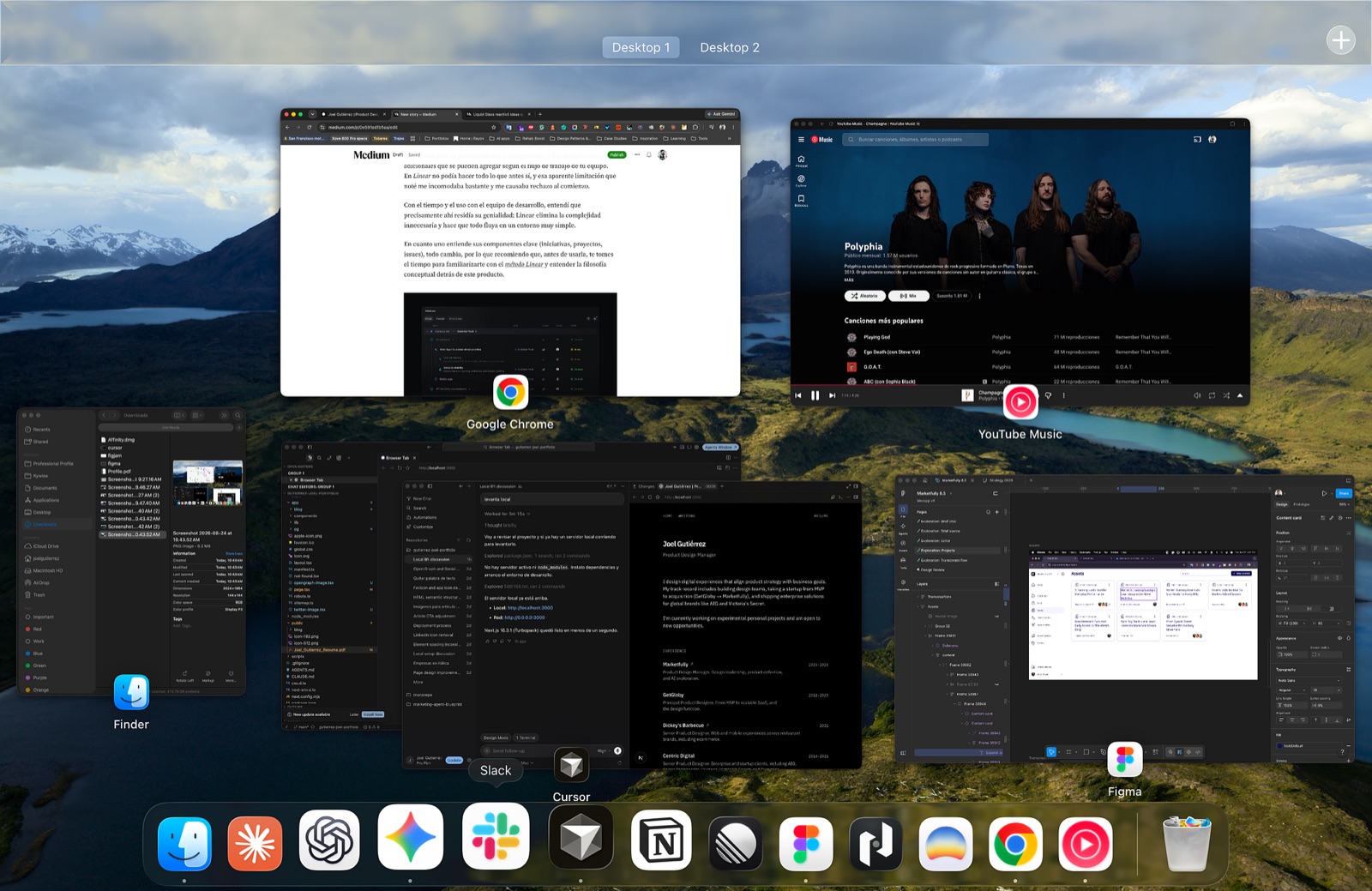
After more than 12 years building digital products, I’ve narrowed down my toolkit to the essentials, the ones that actually impact a team’s daily workflow.
In this article, I’m sharing my current stack. To be clear, this isn’t a roundup of “the best apps” or “the definitive list for product design,” nor is it meant to be clickbait. It’s simply the personal lineup that drives my work. I haven’t included everything, just the heavy hitters.
In our industry, it’s hard not to be tempted by new solutions promising to fix problems or streamline processes. Over time, my selection criteria have sharpened: any tool that adds friction, bureaucracy, or visual noise gets cut. When you truly care about productivity and DX (developer experience), there’s no room for bloat.
The tools that survived this filter don’t make the daily grind tedious; they speed it up. These platforms have near-invisible interfaces that let you move from strategy to iteration without major roadblocks, set in pleasant, logical, and pragmatic environments.
Without further ado, here’s a look at the stack I use every day.
PostHog
Product Analytics
This app was my discovery of the year. At Marketfully, we were evaluating product analytics tools like Pendo (which I have nothing against), but its cost and UX pushed me to explore other options. It just didn’t sit right with me; I had a gut feeling there were better alternatives.
That search led me to PostHog. I’ll admit, its unconventional landing page didn’t inspire much confidence at first, but I ended up loving it once I dove into its product philosophy and communication style.
The platform evolves at a staggering pace and truly understands how to integrate AI agents and features within a data-driven environment.
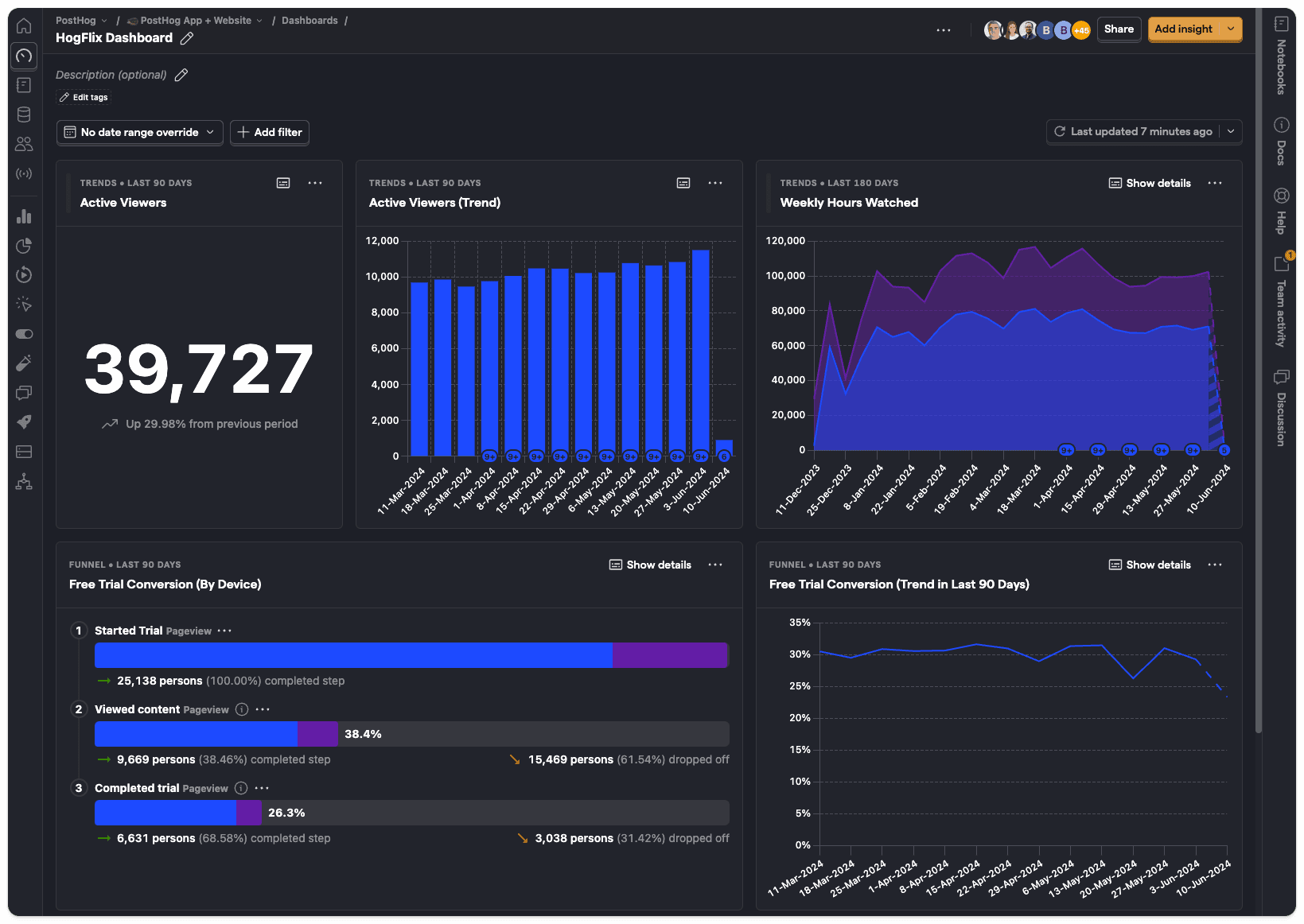
When I first used it, I asked the built-in agent how to navigate the app and clarify certain concepts. That massively reduced the learning curve and left me genuinely impressed. The AI assistant knows the documentation inside out and understands your on-screen context, letting you fire off brief prompts for complex queries, get clear reads on user behavior, or investigate product issues and opportunities.
Figma
Interface Design & UI/UX Systems
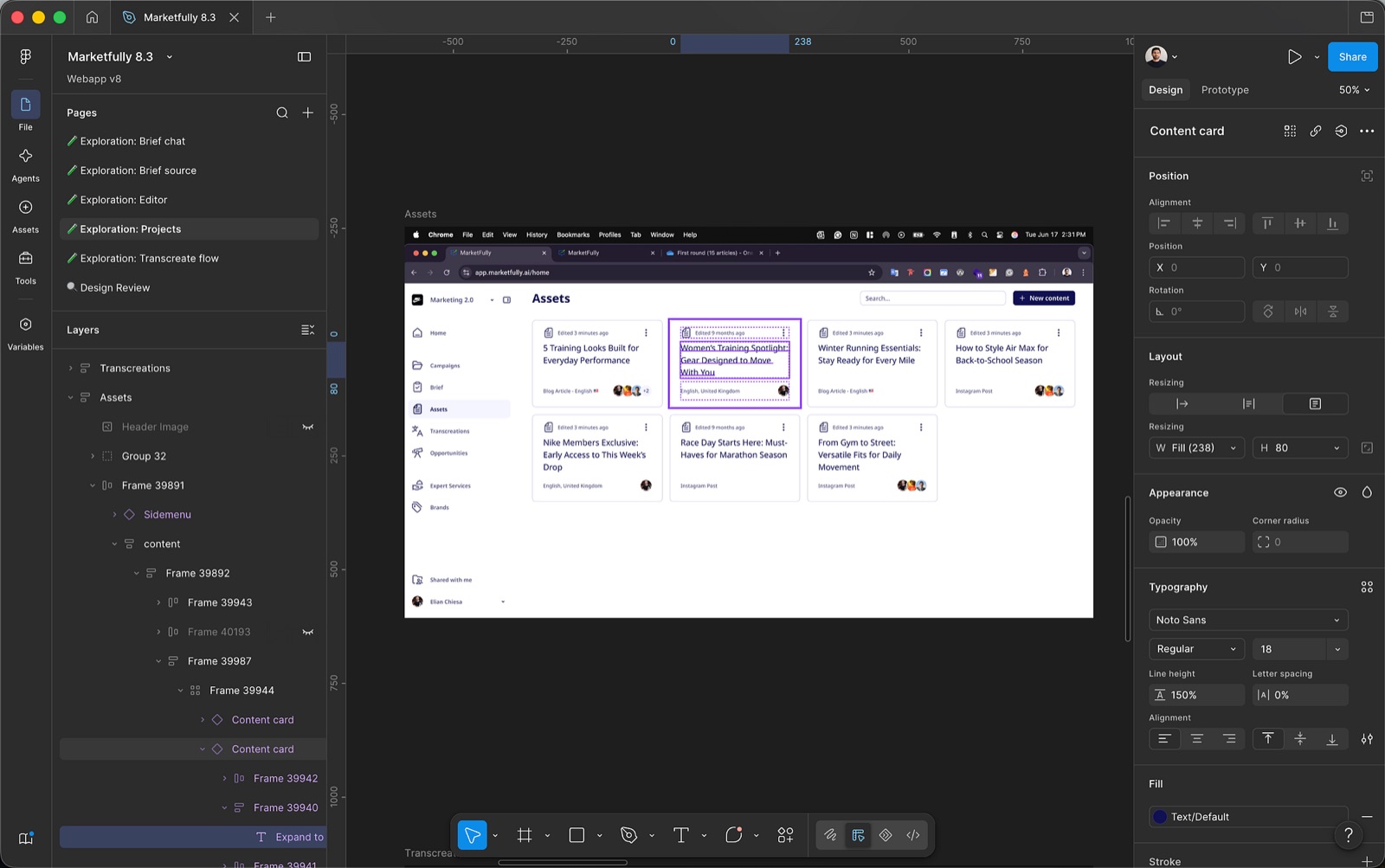
I discovered Figma during a Kuala Lumpur hackathon in 2016. Back then, a designer’s workflow was disjointed: we designed in Sketch (locked to macOS), hacked together Git tools for version control, and uploaded screens to InVision just to make clickable prototypes and get stakeholder feedback.
Figma arrived and unified that entire ecosystem into a single web-based collaborative platform. It finally brought developers and other team members, who largely used Linux or Windows, into the fold, ending their isolation from the design process. While its early features lacked Sketch’s polish, its rapid evolution quickly closed the gap.
Real-time collaboration was its killer feature from day one. Having multiple people editing the same file simultaneously was mind-blowing back then. Seeing a coworker’s cursor flying around your canvas was unprecedented, and it instantly set the standard for these kinds of tools.
Today, with its AI agent integration, you can iterate and execute tasks using basic prompts, incredibly useful when kicking off a new project or feature. Using agents on complex design files burns through tokens quickly, but the expectation of immediate, in-app assistance is now a baseline we aren’t going back from.
FigJam
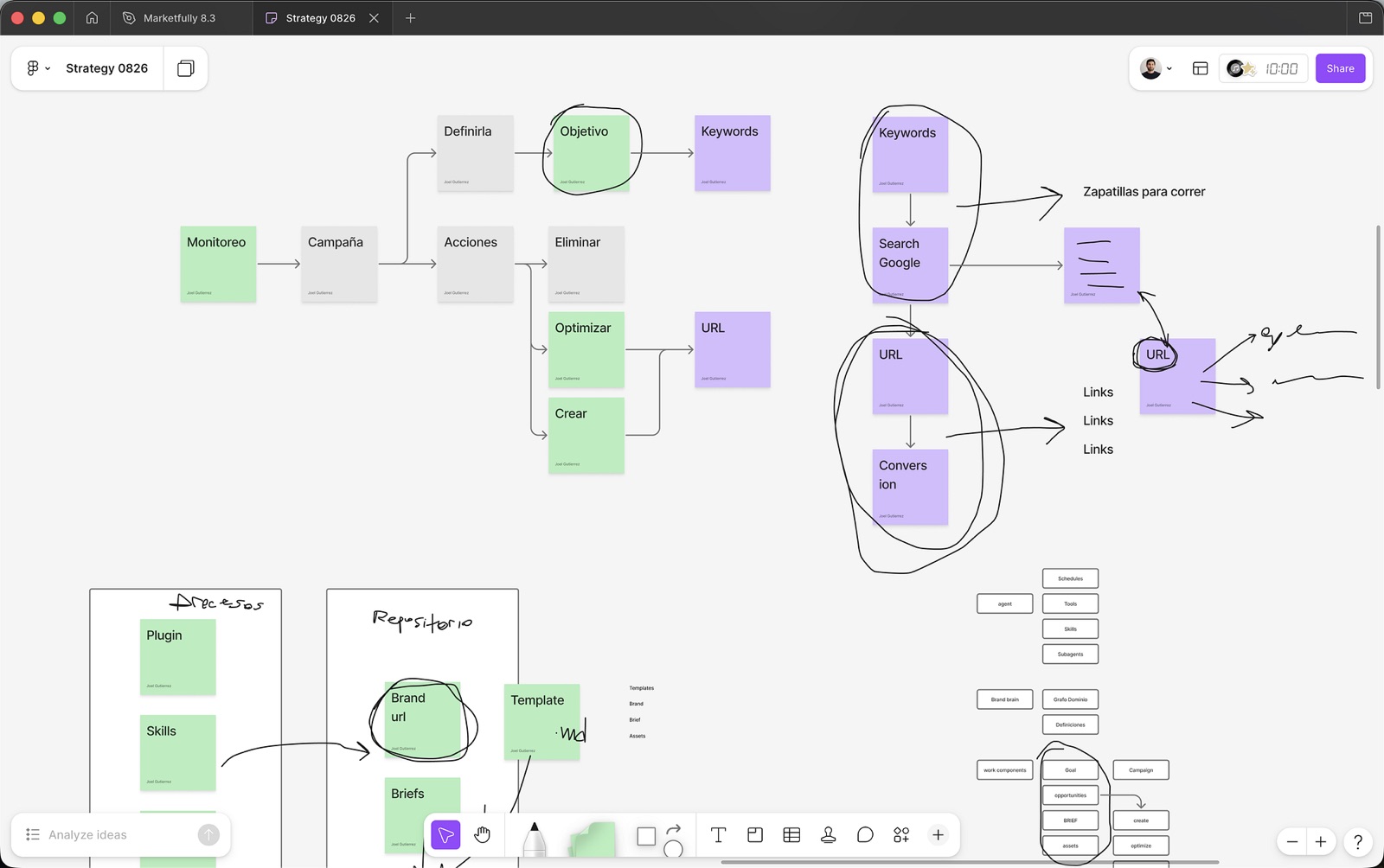
If Figma is where execution happens, FigJam is where strategy starts, and ideas take shape. It’s my go-to for visualizing and structuring problems before diving into a project — whether for design, research, or technical scoping.
Its biggest perk is the zero-friction experience. I can open a file and instantly brain-dump without stressing over formatting. I use it daily to break down complex tech, map user flows, scope out MVPs, and organize information architecture.
It’s become my space to process the initial chaos of an idea and mold it into a logical, digestible framework. It helps me make efficient, big-picture decisions and get the team visually aligned before tackling a new challenge.
Linear
Project Management
I started using Linear in 2022, and honestly, my first impression wasn’t great. I was used to heavy-duty platforms like Jira, where everything is customizable with endless fields tailored to the team. Linear felt restrictive; the lack of freedom made me uncomfortable and initially pushed me away.
However, after using it daily with the dev team, I realized that restriction is its genius: it strips away unnecessary complexity and keeps workflows moving in a clean environment.
Once you grasp its core components (initiatives, projects, issues), everything clicks. Before jumping in, I highly recommend taking the time to understand the Linear Method and the philosophy driving the product.
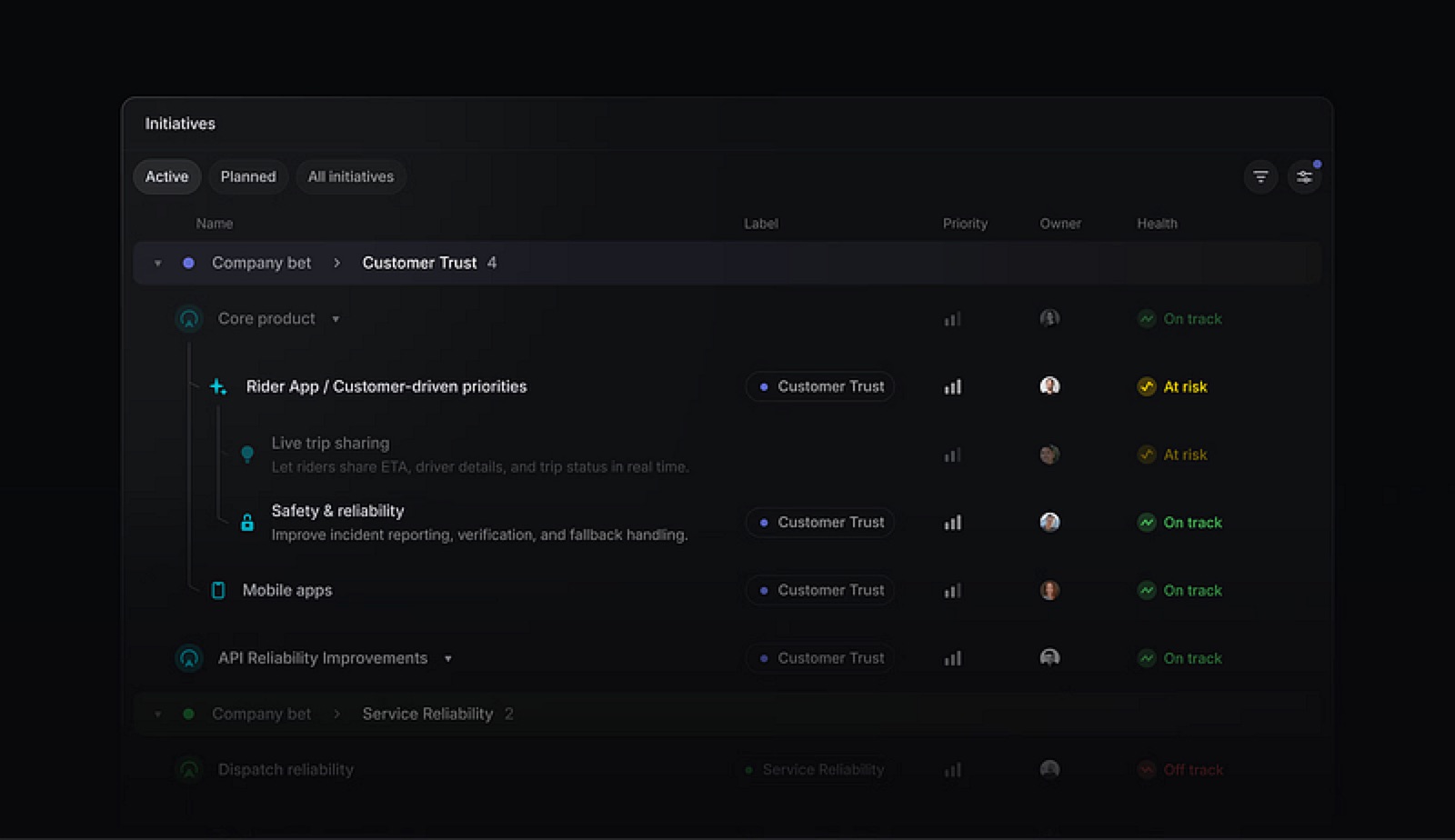
It’s a tool that forces you to adapt to its rhythm and structure. When you stop obsessing over features that “might add value,” your productivity shoots up.
Today, thanks to its integrated AI agent, MCP (Model Context Protocol) connections, and automations, it’s my favorite project management tool. It’s a constant reminder that fewer, well-designed options deliver a much bigger impact.
Slack
Team Communication
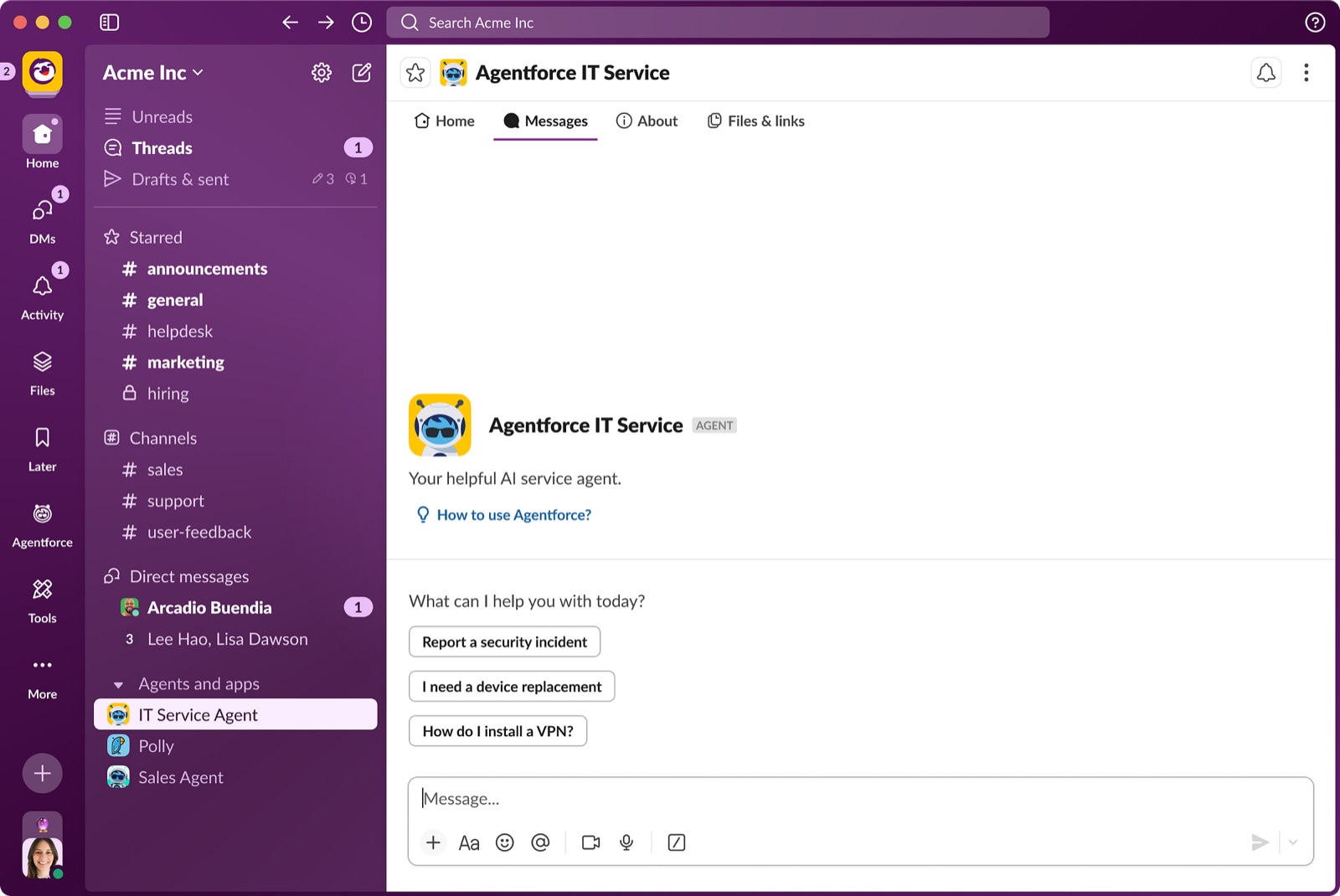
Slack is my primary communication channel with the team and remains the gold standard for software development teams. Its strength isn’t just messaging; it’s the channel architecture, stack integrations, and a design tailored specifically for devs and designers.
The contrast is glaring when you use more corporate tools like Microsoft Teams. Anyone who has used both knows the difference between a generic, catch-all solution and one purpose-built to supercharge product team communication.
Slack keeps conversations in context. It lets you automate deployment alerts, incident reports, and reviews without context-switching. Its integrations can turn a chat thread into a Linear issue or drop a daily product report straight into a channel.
Lately, it’s also become a hub for interacting with AI agents, which ping us about critical events or provide answers on demand.
Claude
AI Assistant
When it comes to models and context windows, Claude is leading the pack in a rapidly catching-up market. Features like Cowork, its Skills ecosystem, and its ability to seamlessly interact with Figma designs point to the future of AI assistants.
For my day-to-day, the real game-changer is how it integrates with the rest of my stack (Figma, Linear, PostHog). It lets me execute complex workflows incredibly fast.
As we all know, Claude is no longer just a chatbot; it’s an orchestrator that can execute changes and sync actions across platforms.
Cursor
AI Code Editor
Cursor has completely overhauled how I prototype and build MVPs.
Vibecoding lets me iterate on actual code autonomously and at lightning speed, taking an idea to a functional product faster than I ever thought possible.
I love how easily you can swap between models (unlike Claude Code) and manipulate file trees without breaking dependencies. Most importantly, it maintains deep context of the project and the tasks at hand.
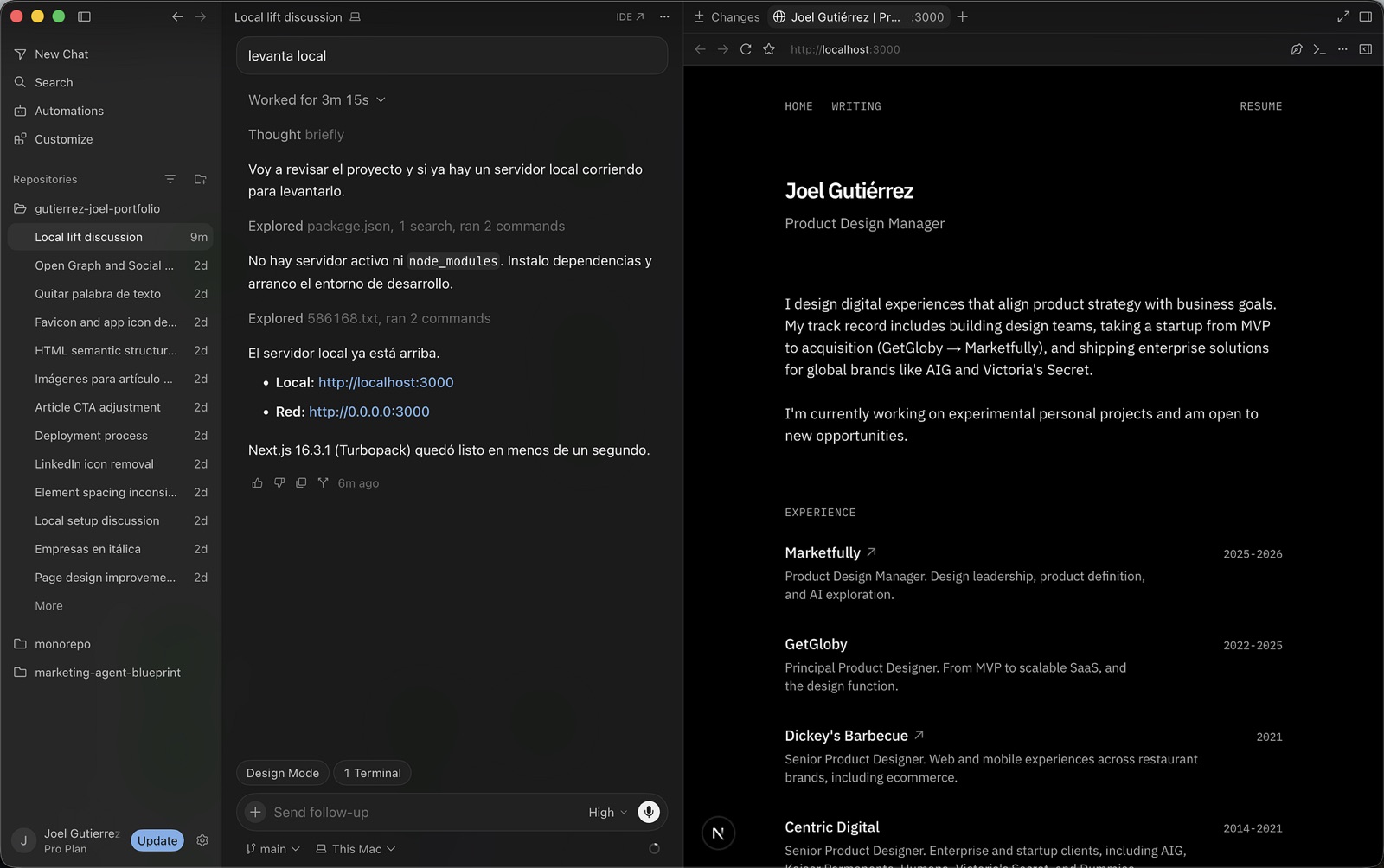
Looking ahead, I could see this tool evolving to include visual component editing, similar to Figma, Webflow, or Framer, which would finally merge design and development into a single platform. A designer could tweak visual specs just like in Figma, an agent would explain the downstream code implications, and developers would simply review and approve the PR. I know this is a massive UX challenge, but just like Sketch and InVision eventually merged conceptually, this feels like the next inevitable industry shift.
Notion
Documentation
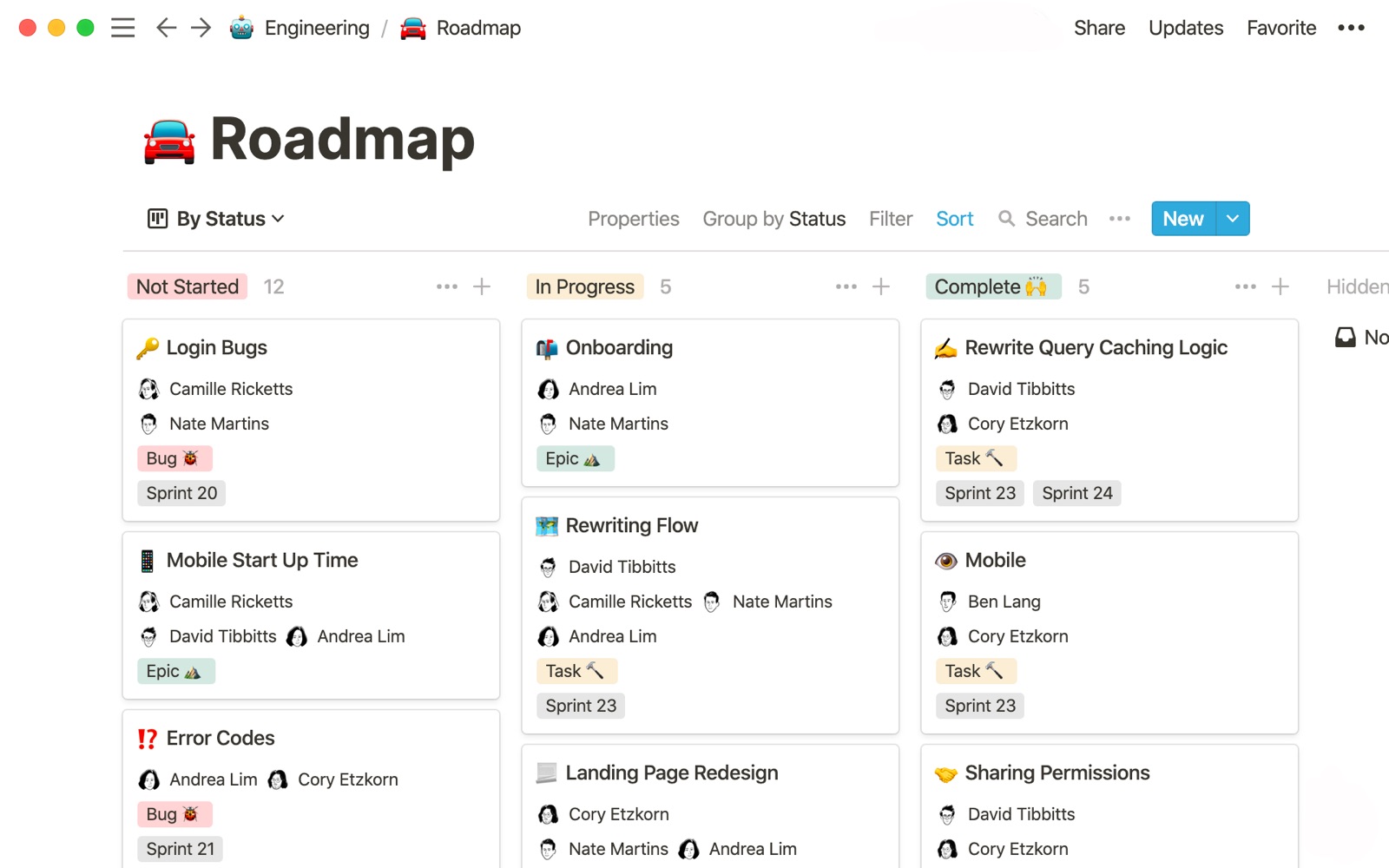
Since 2022, Notion has consistently delivered on its core promise: hassle-free documentation. Even as it’s bloated a bit with new features, the core experience remains intact.
It’s the central nervous system for most modern teams. Strategy docs, product specs, research, and team wikis all live here.
Its true value is providing a frictionless, collaborative space where anyone can jump in and write from day one. I’ve looked at other options, but Notion’s balance of flexibility and simplicity makes it the undisputed winner.
Other apps in the indirect work environment
Beyond design and dev tools, a few complementary apps round out my daily workspace. Here are my staples.
YouTube Music
Audio Streaming
I ditched Spotify to consolidate subscriptions, kill YouTube ads, and get YouTube Music under one plan. It’s been better than expected. Running it as a web app in Chrome lets me use extensions like Better Lyrics for clean, real-time translations, fixing an annoyance I’ve had for literal years.
Dia
Browser
I love its minimalist aesthetic and how it pioneered agent-driven browsing. Even though I default to Chrome to leverage my history and my Gemini subscription’s advanced capabilities, Dia is still one of the most compelling bleeding-edge browsers out there.
Magnet
macOS Window Manager
An absolute non-negotiable for my MacBook. I honestly can’t work without it anymore. Using keyboard shortcuts to snap, split, and organize windows (essentially bringing Windows OS functionality to Mac) is a lifesaver.
Recordly
Screen Recording
A recent pickup as a free alternative to Loom, which I still love and recommend for user-facing documentation.
While it occasionally has performance hiccups that show it’s still in active development, it nails the core use case: recording app flows.
It saves me from opening heavy video editing suites when all I need is to show off a new flow, document a visual tweak, or demo a feature to the team.
The Common Thread
Looking at this stack, four patterns explain why these apps stuck around while others didn’t. Not every tool has all four, but they are my baseline requirements.
Real-time collaboration
The ability to comment, edit, and share context in the same workspace is mandatory. Purely asynchronous work just doesn’t cut it anymore.
Multi-platform
Tech teams operate across macOS, Linux, Windows, and web apps. Any tool that isolates a teammate because of their OS is dead on arrival.
Invisible interfaces
The UI shouldn’t steal the show. A clean, functional design fades into the background so you can focus entirely on the work.
Integrated AI agents
Agents shouldn’t be relegated to a disconnected side panel. They need to be active participants that can read the screen, check the docs, and execute changes with minimal prompting.
Conclusion
Curating a tool stack is an ongoing job, and for those of us building products, it borders on an obsession. With new apps launching daily, the itch to switch is constant.
But balance is everything. We have to evolve, but constantly jumping ship kills momentum and leads to tool fatigue. Any app we adopt, personally or for the team, needs to be a sustainable, long-term bet that bypasses brutal learning curves.
The tools we choose aren’t trivial; they dictate how fast and how clearly a team can turn ideas into shipped products and iterate.
What tool did you cut from your stack this year because of too much friction or bureaucracy? Let me know in the comments.